Showing posts with label Freeware. Show all posts

Monday, April 14, 2008

PicLens: 3D Image Viewing Experience


If you love browsing through media-rich sites such as Flickr or deviantART, here's a cool add-on you can install in your browser to enrich your image browsing and viewing experience. Now you don't have to just click through online photo galleries or a boring parade of small thumbnails. PicLens by CoolIris transforms your browser into a cool, full-screen 3D picture wall.

I found the PicLens interface quite fast, easy-to-use and intuitive. When you install PicLens, it adds a small 'play' icon on the images which you can click to open the superb full-screen 3D experience. Here you can drag, click, scroll and zoom through images with ease.

PicLens view of My Flickr gallery

PicLens is best viewed on Mozilla Firefox but it is also available for Internet Explorer and Safari. It works with a growing number of websites including Facebook, Friendster, and Image Searches for Google, Yahoo, etc.

For Firefox Users, click here to install PicLens. Visit the PicLens website for more details.

Monday, December 3, 2007

New Background Image for Christmas

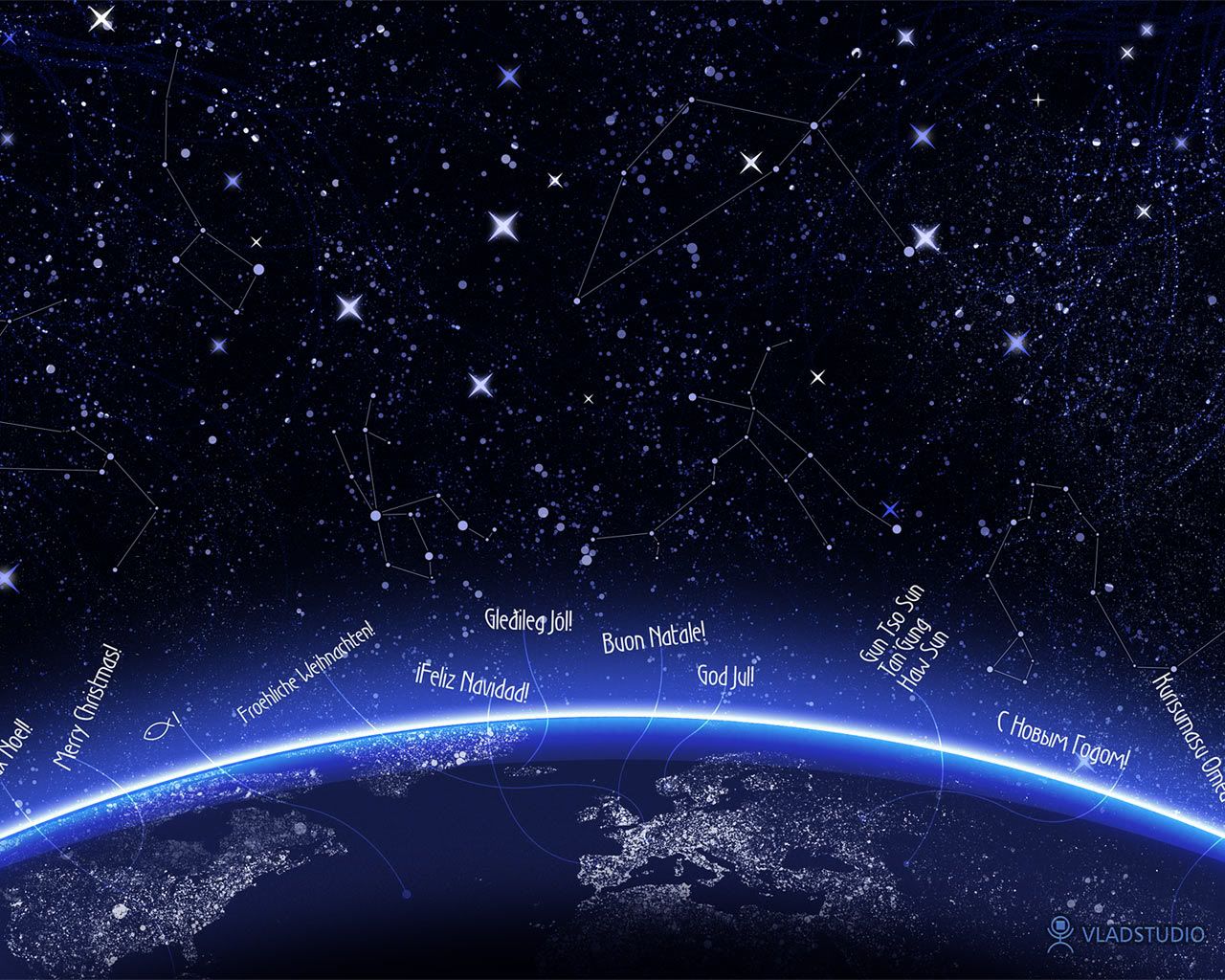
I hope I never outgrow Christmas. It's still my favorite time of the year. So, in observance of the coming Christmas season, I have a new background image, called 'Christmas Night', supposedly a wallpaper, courtesy of Vladstudio. It's basically a snapshot of the Christmas night sky complete with the constellations while the continents of the Earth shines brightly underneath. Christmas greetings in various languages surround the glowing planet. I like it, somehow. :-)

However, the Christmas greetings may not be visible in monitors with 1024 x 768 resolution. The image is at 1280 x 1024 resolution. But, you can view the entire background image/wallpaper here.

Tuesday, July 24, 2007

Dex Recommends: Google SketchUp

When I first came across Google SketchUp, I was instantly hooked and eventually spent a few hours playing with it. As a self-confessed frustrated architect, I found in SketchUp an excellent outlet to vent my ‘frustrations’. Hehe. For those not familiar with SketchUp, it is a 3D modeling program distributed by Google, that is designed for professional architects, civil engineers, filmmakers, game developers, and other related professions.

Its relatively easy to use, flexible and intuitive interface also makes it widely used by kids, mainly as entertainment software. In Google SketchUp you can create 3D models of almost any object, most commonly houses and buildings. It uses a wide range of drawing tools and interactive functions that lets users create 3D models from scratch, ranging from the simple to the complex, complete with colors, textures, scenes and animations.

The best part about SketchUp is that it integrates seamlessly with Google Earth – which means you can create 3D models of existing buildings and display it on Google Earth or upload it to the Google 3D Warehouse, the library of 3D models created in SketchUp by users all over the world.

For my first SketchUp project, I attempted to create a 3D model of my school (elementary and high), St. Agnes’ Academy, since I have a fairly accurate memory of every nook and cranny of it, having spent more than 10 years there. It’s basically just a simple 3D model of the buildings' layout within the campus. However, it is not accurate since I did not rely on exact measurements of the campus’ dimensions but on the satellite imagery provided by Google Earth. It's not even finished yet - it lacks doors, windows, and other architectural details which I may not have the time and expertise to accomplish. Still, I think my 3D model fairly captures the distinct shapes and dimensions of the buildings.

St. Agnes' Academy

Simple 3D Model of St. Agnes' Academy

I uploaded my SAA model to the Google 3D Warehouse. When I have more time to waste I'll try to refine this model and maybe even create more 3D models. Currently, there are only five 3D models of buildings and landmarks in Legazpi City. The other models are by Neil, my co-forumer in SkyscraperCity. You can also check out other Philippine 3D models created using SketchUp. If you have the interest to create 3D models, and more importantly, if you’ve got a LOT of time in your hands and a ton of patience, try Google SketchUp. It’s fun!

Thursday, July 19, 2007

Dex Recommends: Free Image Editing Software

Do you find MS Paint's functions too basic and you need more image editing features when working with your photos? Are you a wannabe photographer like me who needs an easy-to-use but costless photo editing and manipulation software? If you don't have access to, or have very limited knowledge in Photoshop and other professional image manipulation software you can opt for more user-friendly but effective software you can download for free. Here are some image editing software I use:

Picasa - If you need an idiot-proof and very easy-to-use image editing software and photo organizer, Picasa is highly recommended. It is a freeware application now owned by Google which helps you clean up your digital photo collection by easily locating and organizing the photos in your computer. The best features Picasa offers are the basic photo editing tools such as color enhancement, red-eye reduction, cropping and many more. You can also add effects that can transform your photos from ordinary to exciting in just a click of a button.

Neat Image - Does your digital photo look grainy and rough? That's called image noise. Unless you intentionally want a grainy looking photo, these visible image noise can be quite annoying. Now, you can reduce image noise in your digital photos with the help of one application: Neat Image. This app makes your images look better by reducing the visible noise and grain. You can even use it to even out skin tone or smoothen your portraits for a picture-perfect finish. Just don't overdo it or you'll end up looking like a very smooth balloon.

Paint.NET - Do you want a less costly (Read: free) alternative to Photoshop with most of the functions you need right at your fingertips? Then you should definitely try Paint.NET. I have been using this app for two years now -- basically for minor editing tasks -- and it works like a charm.I have yet to unlock the full capability of Paint.NET, though, since I still have limited knowledge of most of its functions. But it's definitely a permanent fixture in my list of must-have applications.

The GIMP - Short for GNU Image Manipulation Program, GIMP is another top-notch photo retouching and image manipulation software that offers almost all the functionality of Photoshop but none of the cost. GIMP can process digital graphics and photographs with excellent results. I have yet to fully use GIMP's features though. Anybody want to give me free lessons on how to use GIMP? Hehe

FastStone Photo Resizer 2.4 - Want to protect your photo from plagiarism? Add a text watermark to it using FastStone's Photo Resizer/image converter. It also lets you rename, resize, crop, rotate and change the color depth of your photos in a quick and easy batch mode.

Picture Resizer 2.0 - This is a no-fuss, easy to use Photo Resizer that takes up very little space in your computer. Simply download the file to your desktop, which appears as a simple icon, then drag and drop your image files on the application icon to resize. By default, the app resizes pictures to 400 pixels but you can change the size by renaming the icon -- for example, rename to Photoresize200.exe to produce 200-pixel images.

So there, all these applications are freeware and they're readily available on the net. Just click on the links I provided. If you have other image editing software in mind, don't forget to leave a comment. :-)

Albay in Google Earth

In the most recent Google Earth update last month, several towns and one city in the province of Albay now have high-resolution satellite i...