Saturday, July 28, 2007

The Pleasures of Comfort Food

As I was fixing my blog labels two days ago, I realized I had no post about food yet, which is a shame because I love food. In fact, pigging out is one of my special talents. Hehe. Kidding. So for my first blog post about food, I decided to write about food that everybody loves – comfort food.

What is Comfort Food? As the name implies, comfort food is food that makes you feel better. It is food that reminds you of happy memories. It’s the food that can lighten your mood in an instant and make you feel cozy all over.

It's that particular dish you'd love to come home to after a long and tiring day at work. It may be the stuff that your Mommy or Daddy makes when you were sick back when you were little. It may be the snack your barkada loves to pig out on and constantly reminds you afterwards of all the fun times. It may be that dessert you and your loved one share when on a date. Comfort food mean a whole lot of different things to different people.

But comfort food doesn’t have to be expensive or exotic. Wikipedia defines comfort food as simple, uncomplicated and easy-to-prepare. In fact, the simplest dishes can be comfort food for anyone simply because it is more than just food. It is also about the experiences and memories that are forever associated with it.

As for me, I have a handful of dishes that I can call my comfort food. Here they are:
  • Monggo – There’s something about these little green seeds that remind me of my childhood. Whipped up into a creamy, green soup with sprigs of sili leaves, some chopped pork and tinapa flakes, monggo soup for me spells comfort with a capital C. I especially love monggo soup when I’m feeling under the weather. Besides, it’s cool ‘cause its green and its very nutritious. LOL.
  • Homemade Chicharon – Picture this sinful scenario: cubes of pork with slivers of fat sautéed in very little oil and salt till all the mantika is extracted from the bits of meat and rind. What’s left are dry, crunchy, salty (and definitely unhealthy) chicharon. But who cares if they're unhealthy. I can munch on these fritters all day long. Homemade chicharon is very different and way better than ordinary chicharon. They are tastier and more robust, often with slivers of meat still attached, unlike the dry and tasteless chicharon morsels sold everywhere. Sometimes, my father uses homemade chicharon as substitute for the pork in his version of Bicol Express. And the result is delish!
  • Arroz Caldo – A steaming bowl of Arroz Caldo with bits of chicken and a garnishing of roasted garlic and chopped scallions is the perfect antidote to fever or colds.
    Just breathing in the fragrance of rice, chicken and spices makes me sigh with contentment. Maybe the reason why I love this dish is because it reminds me of the care and comfort that usually comes with it. My father, and also my Lola, makes Arroz Caldo when someone in the family is sick.
  • Chicken Soup/Tinola – Simple chicken soup works wonders. It is no wonder that a popular series of books was named after it. It is really food for the weary soul. And Tinola, who doesn’t love sipping this concoction of chicken essence and ginger?
  • Chocolate – I think the best way to eat chocolate is to take it in one bite a time, savoring its velvety texture and sweetness with a hint of bitterness - that is what you call indulgence.
  • Champorado - This dish reminds me of my dearly departed Lola. She used to make the best champorado I ever tasted. My cousins and I, all dirty from playing all day, would wait impatiently as the scent of chocolate and glutinous rice bubbling in a pot wafted from the kitchen on hot and dusty afternoons. And then it's galit-galit muna until the last spoonful of champorado sweetened with some sugar and milk is consumed. Haha.
  • Ice Cream – Need I say more? Hehe. Choco Ice Cream is a perennial favorite but Cookies and Cream comes in at a close second. But whatever flavor it is, ice cream is always welcome for yours truly, thank you very much.
  • Gravy – Yes, you read it right. I love gravy! I can spoon a dollop of gravy over steaming white rice and I can already call it a meal. In fact, I usually order an extra serving of gravy at fast food restaurants to satisfy my craving for this salty and flavorful condiment. So don't give me weird looks. Haha
There you have it, my list of favorite comfort food – simple, uncomplicated easy-to-prepare and easy-to-find food that I love to eat especially when I’m craving for something or when I need something to make me feel better. Like right now, I have slight fever and colds but the creamy corn soup with halaan I had for lunch made me feel so much better. Of course, being a food-lover at heart, I have lots of other favorite food. But when it comes to simple and uncomplicated comfort food, the above-mentioned are my favorites. Ahh..the pleasures of comfort food.

How about you? What is your Comfort Food? :-)

Friday, July 27, 2007

Blackle: The Energy-saving Search Engine

How can a search engine possibly save energy? That was the first thing that came to mind when I encountered Blackle, maybe short for Black Google, which claims to provide energy-saving search. With its rather funny name which made me chuckle (pun intended), I was a little skeptical about the site's claim. Blackle is basically Google Search rendered in black, instead of the usual white. There lies Blackle's advantage, or so it claims.

Apparently, a black webpage uses only 59 watts to display while a white webpage uses about 74 watts. This is similar to saving a laptop's battery by turning down the monitor's brightness. The 15 watts difference may not seem much at first glance. But a blogger proposed that if Google search, which receives over 2.5 billion queries a day, is displayed in black, this can translate to a global energy savings of 8.3 megawatt-hours a day or over 3,000 megawatt-hours a year.

Come to think of it, it does make sense. With billions of computers accessing Google Search daily, the small amount of wattage (15 watts) that can be saved if Google is displayed in black can easily add up to reach the megawatt levels. This also works for me personally since I don't have a problem with websites rendered in black (including this blog..hehe)

I tested Blackle to see if there would be any significant difference in the search engine results compared to regular Google Search. Thankfully, there wasn't any drastic difference- except for the absence of sponsored links, which is actually great. I think I may be using this search engine from now on. Maybe even in this small and insignificant way, I can actually help in the efforts to save energy. :-)

Visit Blackle - http://www.blackle.com

Thursday, July 26, 2007

Roasted Ferrari F340 on SLEX

This is probably the coolest (or should I say the hottest) way to waste a few million pesos. Check out these incredible photos of a roasted Ferrari F340 right on busy South Luzon Expressway. Yes, that is a freakin' Ferrari! This happened only a few days ago. Reports said that the rear part of the red Ferrari, part of a convoy of eight vehicles, erupted in flames while traversing the highway at 60 km/hr. The fire completely destroyed the Ferrari's butt. Maybe the owner gave only half a Fita biscuit to the old lady. Haha. Kaya ayan tuloy, binawi yung kalahati.

More photos after the jump.

Click on thumbnails to enlarge.

Free Image Hosting at www.ImageShack.us

Free Image Hosting at www.ImageShack.us

Photos courtesy of Tsikot.com

Tuesday, July 24, 2007

Dex Recommends: Google SketchUp

When I first came across Google SketchUp, I was instantly hooked and eventually spent a few hours playing with it. As a self-confessed frustrated architect, I found in SketchUp an excellent outlet to vent my ‘frustrations’. Hehe. For those not familiar with SketchUp, it is a 3D modeling program distributed by Google, that is designed for professional architects, civil engineers, filmmakers, game developers, and other related professions.

Its relatively easy to use, flexible and intuitive interface also makes it widely used by kids, mainly as entertainment software. In Google SketchUp you can create 3D models of almost any object, most commonly houses and buildings. It uses a wide range of drawing tools and interactive functions that lets users create 3D models from scratch, ranging from the simple to the complex, complete with colors, textures, scenes and animations.

The best part about SketchUp is that it integrates seamlessly with Google Earth – which means you can create 3D models of existing buildings and display it on Google Earth or upload it to the Google 3D Warehouse, the library of 3D models created in SketchUp by users all over the world.

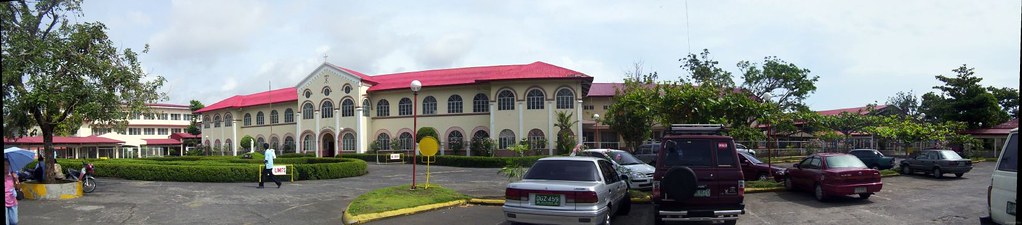
For my first SketchUp project, I attempted to create a 3D model of my school (elementary and high), St. Agnes’ Academy, since I have a fairly accurate memory of every nook and cranny of it, having spent more than 10 years there. It’s basically just a simple 3D model of the buildings' layout within the campus. However, it is not accurate since I did not rely on exact measurements of the campus’ dimensions but on the satellite imagery provided by Google Earth. It's not even finished yet - it lacks doors, windows, and other architectural details which I may not have the time and expertise to accomplish. Still, I think my 3D model fairly captures the distinct shapes and dimensions of the buildings.

St. Agnes' Academy

Simple 3D Model of St. Agnes' Academy

I uploaded my SAA model to the Google 3D Warehouse. When I have more time to waste I'll try to refine this model and maybe even create more 3D models. Currently, there are only five 3D models of buildings and landmarks in Legazpi City. The other models are by Neil, my co-forumer in SkyscraperCity. You can also check out other Philippine 3D models created using SketchUp. If you have the interest to create 3D models, and more importantly, if you’ve got a LOT of time in your hands and a ton of patience, try Google SketchUp. It’s fun!

Saturday, July 21, 2007

Proudly Pinoy!

Last June 12, 2007, ProudlyPinoy.org launched a competition to design a logo that can be displayed on Philippine websites and blogs. Basically the idea was to "create a logo which expresses the pride of being Filipino, and which will allow a web site to elegantly declare its Philippine identity".

Hundreds of entries were submitted and it seemed that finding the best one was daunting, considering the excellent entries posted. Iba talaga ang galing ng Pinoy. The entries were superb! Finally, the competition wrapped up last July 19. The winning logo, designed by Joe Talisic, is a simple but beautiful design depicting a stylized Philippine flag. I like it and I think the judges chose the right logo. The runners-up were also top-notch! I'm digging that "Rizal as Clark Kent/Superman" logo. Haha

The judges' comments about the logo: This logo has it all. It is perfectly balanced, has excellent visual impact, yet remains elegant and graceful. The Filipino identity is immediately obvious. The message is fairly clear - one gets a sense of warmth and caring, and love, which, unlike in other nations, are attributes that are considered more important in the Philippines than any other character trait. Hence the logo superbly expresses what makes us proud to be Filipinos.

So if you are proudly Pinoy and you have a website or blog, express your pride and use this logo now. Click here to get a copy of the logo. Spread the word to your friends too and ask them to support this project and show their pride by using this logo. :-)

Friday, July 20, 2007

Is it the End of the Line for Harry Potter?

Well, technically it IS the end of Harry Potter, or so the author says. Deathly Hallows is the last book in the series and J.K. Rowling has no plans of writing about a middle-aged Harry. But as the world waits with bated breath for the launch of the seventh and the last book (tomorrow, July 21 to be exact) speculations on the boy wizard’s ultimate fate have reached fever pitch. Especially after J.K. hinted at the possibility of killing her main character.

Will Harry die in a climactic battle with Voldemort or will he finally triumph over his nemesis? Who are the two major characters who will meet their end in the hands of 'pure evil'?

Personally, I’d rather see Harry live. I mean it wouldn’t be worth all that trouble he went through from Book 1 to 7 just for him to die in the end. On the other hand, I actually wouldn’t mind if he dies, perhaps in an ultimate act of sacrifice for his friends. I think that would really make an impact. If it does happen, I just hope J.K. will handle his death in a way that will justify everything that the lightning-scarred, bespectacled hero suffered. I can just imagine millions of wide-eyed kids bursting into tears if that happens. lol

The best thing that can happen though is if he does triumph over Voldemort, finally vanquishing He-who-must-not-be-named in a spectacular battle, and then accidentally trips and falls over his wand which stabs him directly in the heart, thus leading to his demise. Haha. Kidding.

Anyway, as much as I want to know the fates of Harry, Hermione and Ron as soon as possible, I think I’ll skip the spoilers and stick to reading the books until the very last page of the very last book - even though I might get my hands on a copy of Deathly Hallows months after everyone in the world has read it 5 times over.

Art by Deanna Molinaro

Thursday, July 19, 2007

Dex Recommends: Free Image Editing Software

Do you find MS Paint's functions too basic and you need more image editing features when working with your photos? Are you a wannabe photographer like me who needs an easy-to-use but costless photo editing and manipulation software? If you don't have access to, or have very limited knowledge in Photoshop and other professional image manipulation software you can opt for more user-friendly but effective software you can download for free. Here are some image editing software I use:

Picasa - If you need an idiot-proof and very easy-to-use image editing software and photo organizer, Picasa is highly recommended. It is a freeware application now owned by Google which helps you clean up your digital photo collection by easily locating and organizing the photos in your computer. The best features Picasa offers are the basic photo editing tools such as color enhancement, red-eye reduction, cropping and many more. You can also add effects that can transform your photos from ordinary to exciting in just a click of a button.

Neat Image - Does your digital photo look grainy and rough? That's called image noise. Unless you intentionally want a grainy looking photo, these visible image noise can be quite annoying. Now, you can reduce image noise in your digital photos with the help of one application: Neat Image. This app makes your images look better by reducing the visible noise and grain. You can even use it to even out skin tone or smoothen your portraits for a picture-perfect finish. Just don't overdo it or you'll end up looking like a very smooth balloon.

Paint.NET - Do you want a less costly (Read: free) alternative to Photoshop with most of the functions you need right at your fingertips? Then you should definitely try Paint.NET. I have been using this app for two years now -- basically for minor editing tasks -- and it works like a charm.I have yet to unlock the full capability of Paint.NET, though, since I still have limited knowledge of most of its functions. But it's definitely a permanent fixture in my list of must-have applications.

The GIMP - Short for GNU Image Manipulation Program, GIMP is another top-notch photo retouching and image manipulation software that offers almost all the functionality of Photoshop but none of the cost. GIMP can process digital graphics and photographs with excellent results. I have yet to fully use GIMP's features though. Anybody want to give me free lessons on how to use GIMP? Hehe

FastStone Photo Resizer 2.4 - Want to protect your photo from plagiarism? Add a text watermark to it using FastStone's Photo Resizer/image converter. It also lets you rename, resize, crop, rotate and change the color depth of your photos in a quick and easy batch mode.

Picture Resizer 2.0 - This is a no-fuss, easy to use Photo Resizer that takes up very little space in your computer. Simply download the file to your desktop, which appears as a simple icon, then drag and drop your image files on the application icon to resize. By default, the app resizes pictures to 400 pixels but you can change the size by renaming the icon -- for example, rename to Photoresize200.exe to produce 200-pixel images.

So there, all these applications are freeware and they're readily available on the net. Just click on the links I provided. If you have other image editing software in mind, don't forget to leave a comment. :-)

Albay in Google Earth

In the most recent Google Earth update last month, several towns and one city in the province of Albay now have high-resolution satellite i...